My Services
Overview
My Services allow you to register and manage your services within Blocks Cloud. Once a service is registered, you can begin collecting logs and traces for it.
Key Features
- High Performance - Automatic batching reduces network overhead and improves throughput
- Automatic Retry Logic - Exponential backoff with configurable retry attempts
- Failed Batch Queue - Prevents data loss during transient failures
- Thread-Safe - Built with concurrent collections for multi-threaded environments
- OpenTelemetry Integration - Industry-standard distributed tracing support
- Multi-Tenant Support - Automatic tenant isolation via baggage propagation
- Zero Dependencies on Logging Frameworks - Works independently or alongside Serilog, NLog, etc.
- Azure Service Bus Native - Optimized for Azure Service Bus Topics and Subscriptions
- Easy Integration - Simple dependency injection set up with minimal configuration
Register a Service
- Navigate to My Services.
- Click Register Service.
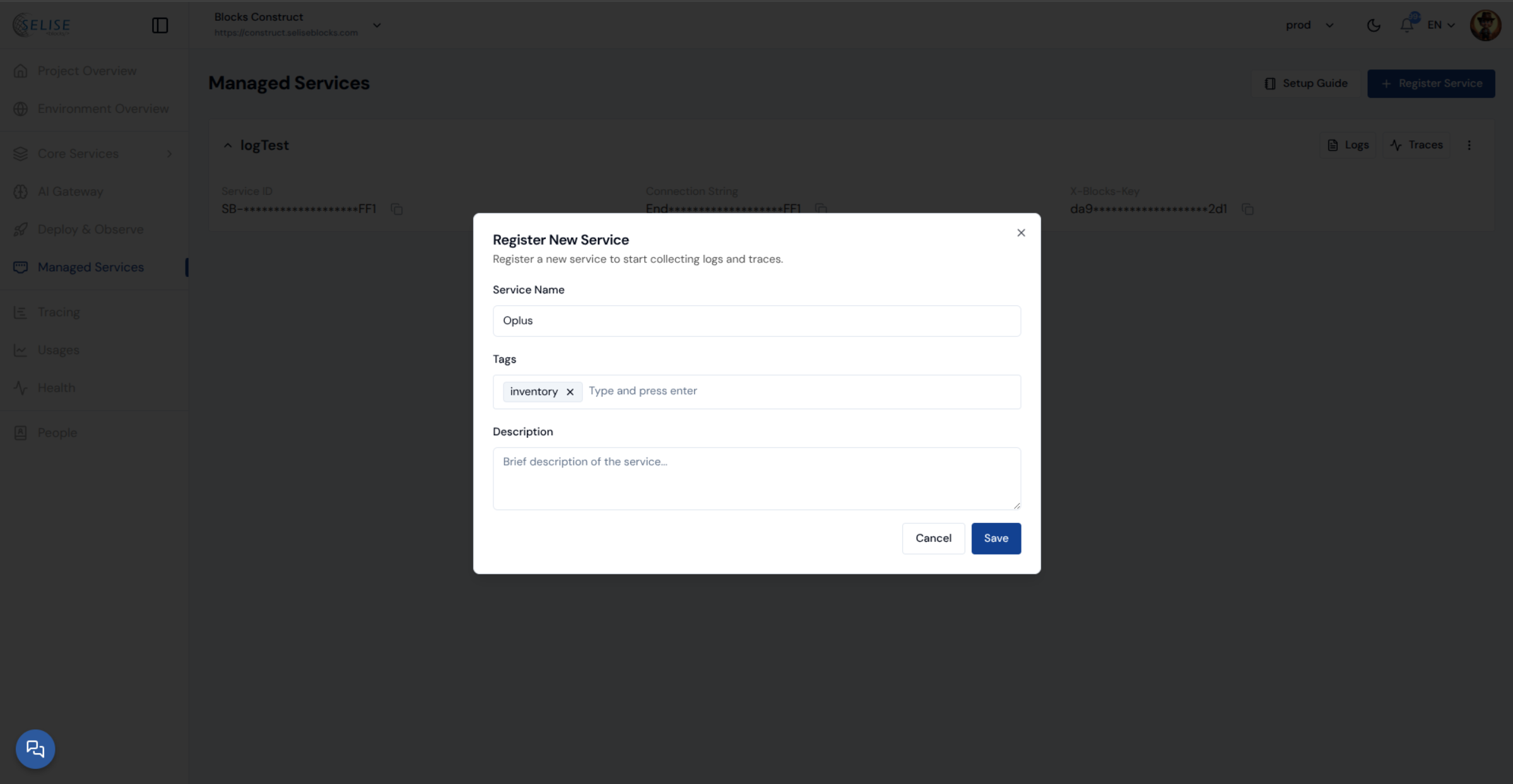
- Fill in the required details:
- Service Name: Enter the name of the service.
- Tags: Add relevant tags to categorize the service.
- Description: Provide a brief description of the service.
- Click Save to register the service.
- After registering, connect your application to the service using the provided NuGet package. Once connected, you can view logs and traces for that service directly in Blocks Cloud.
To set up My Services with your backend project, install our supported packages:
| Language | Package link |
|---|---|
| .NET | NuGet |
| Python | PyPI |
Monitor Your service
You can click on the three dots menu to set up a monitor for your service. To learn more, visit Monitor your Deployments