Knowledge Base
Knowledge Bases are key to enabling Retrieval-Augmented Generation (RAG) in your AI agents and chat sessions.
Out of the Box, LLMs can only answer based on their training data and have only a general idea of many subjects. However, these do not generally include information that’s specific to your business and products. Knowledge Bases and RAG empower LLMs to be able to answer questions and perform tasks that are specific to your domain knowledge.
In Selise Blocks, you can create multiple knowledge base folders. The folder structure helps group similar types of knowledge for better organization and access controls. You can add different folders to different agents based on their purpose; i.e., the HR Agent gets access to the HR folder, the Website Agent gets access to the product folder, while the Affiliate Agent gets access to both the product folder and the affiliate policy folder.
Finding Knowledge Base Feature
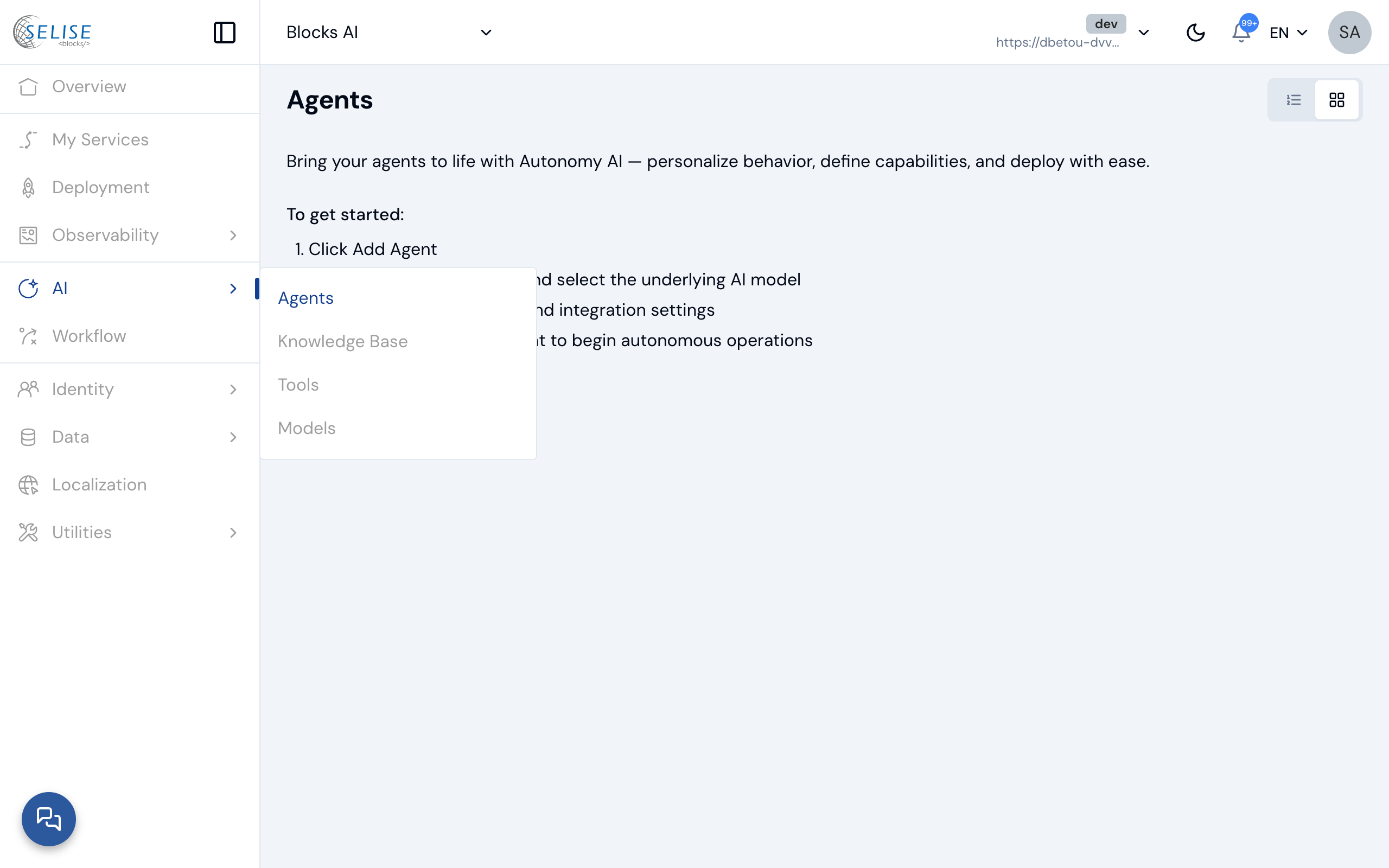
To access the Knowledge Base feature, go to AI > Knowledge Base in the Left Navigation inside Blocks Cloud.
Creating Folders in Knowledge Bases
Click on the “Add Folder” button to get started.
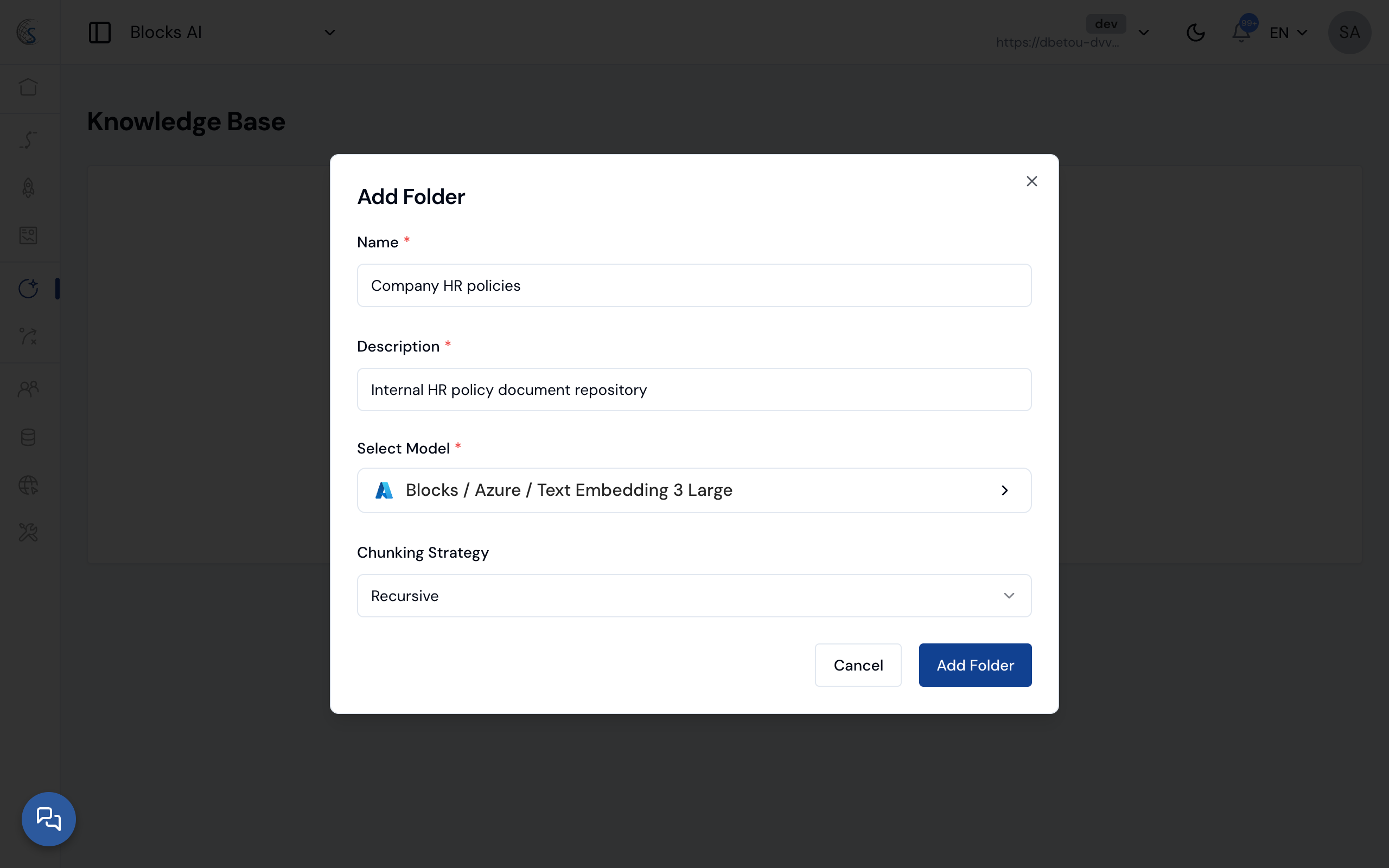
- Give your Knowledge Base a Name and Description
- You can change the embedding model and chunking strategy as needed, or use the defaults.
- Confirm folder creation by clicking “Add Folder.”
Adding Knowledge to Folders
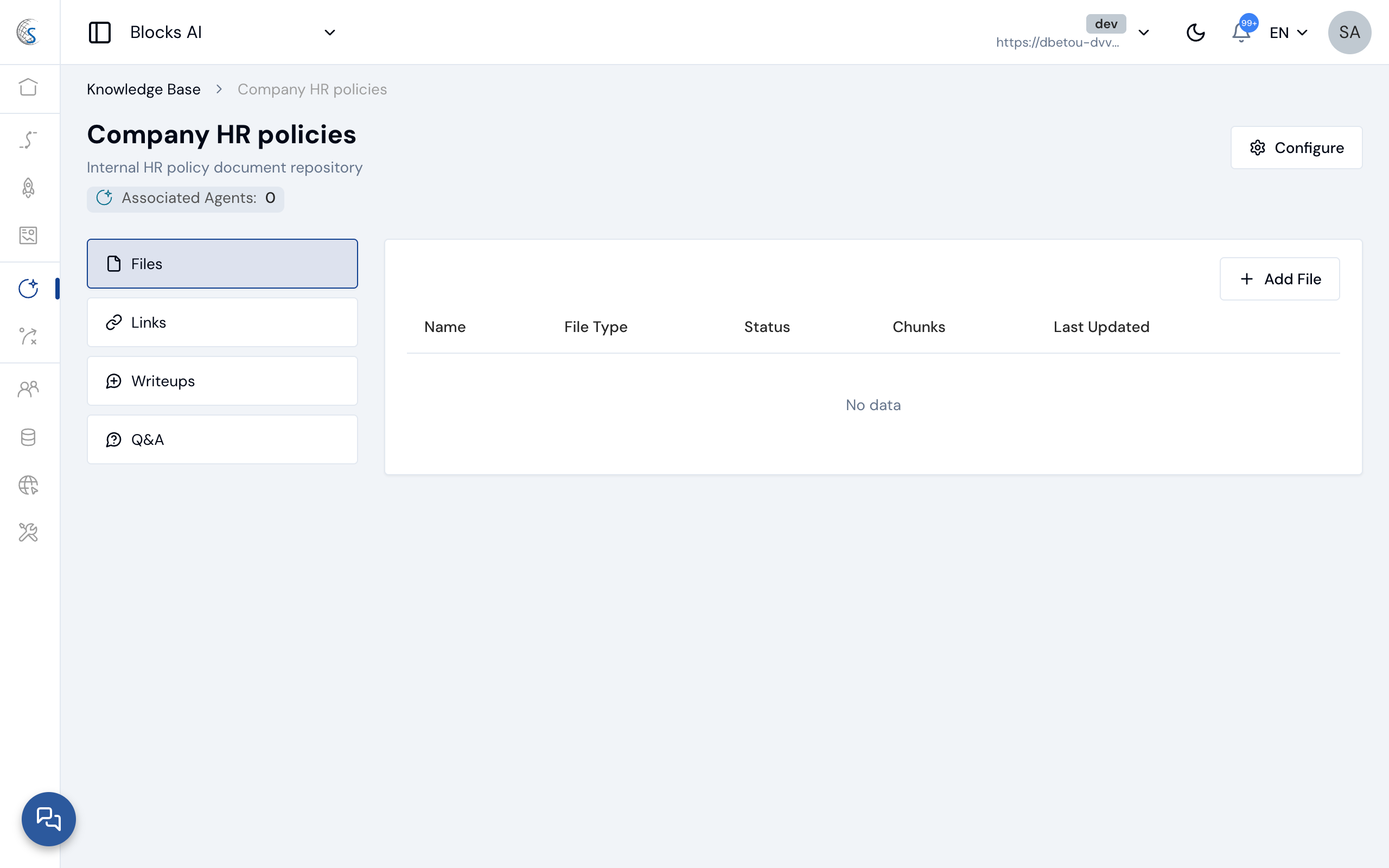
Navigate to your folder to add knowledge there.
Supported Sources
- Knowledge: Raw text input (Markdown supported)
- File: Supports .txt, .pdf, and Microsoft Word files
- Up to 5 files per upload
- Maximum file size: 5 MB
- Link: URLs to external resources
- Optional periodic crawling
- Optional recursive crawling of internal links
- Question & Answer: Structured Q&A format for specific responses
Navigate to the Appropriate source and click on the Add button. Upload / Provide Link / Type in the knowledge as appropriate, confirm, and wait for the content to be parsed and embedded.