Release
Overview
The Hosting & Observability module in Blocks OS provides a streamlined way to deploy, monitor, and analyze your applications—all from one place. It connects directly with your repositories, automates deployments, and delivers detailed observability insights for every build.
With this feature, you can:
- Deploy projects seamlessly — Choose between automatic or manual deployment modes, configure hosting regions and machine specs, and launch directly from the platform.
- Monitor deployments in real time — View live logs as your application builds and deploys, and revisit them anytime for troubleshooting.
- Track build history — Access previous deployments, review analytics, and assess performance metrics such as SAST, SCA, and DAST scans.
- Enhance visibility — Use integrated observability tools like Dependency Track to explore security scan results in greater detail.
- Host with flexibility — Configure and deploy to custom domains directly from your project overview.
This guide walks you through the complete deployment flow—from setup to monitoring—to help you confidently host and observe your applications on Blocks OS.
Deploy your code
Deployment is supported for applications scaffolded with blocks new web or built on the Blocks application blueprint. Repositories outside that scope will fail to deploy.
In order to deploy, please make sure you have authorized Blocks OS to access your repositories. See adding a repository.
Select the Deployment option from the sidebar. This leads to the Deployment Overview section, which presents cards for each associated repository. Clicking on a card opens the Repository Details page. If there is no existing deployment, there will be a Deploy Now button.
Clicking Deploy Now opens a modal to configure deployment specifications. The user can choose between:
- Deployment Type:
- Git based deployment - Deployment initiates every time a push to the connected repository is made
- Blocks OS based deployment - Deployments are initialed from the Blocks OS Platform by the users. In order to initiate a manual deployment, click on the deploy button on the top right in the the details page of a repository.
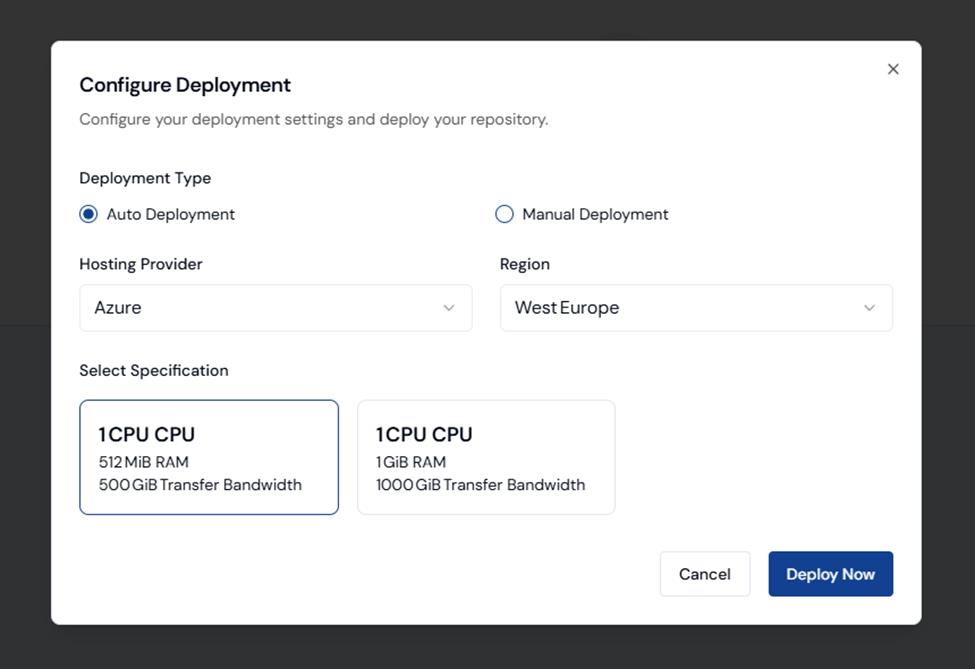
After confirming, the deployment process begins. The user is redirected to a live deployment page that shows general deployment information and real-time deployment logs.
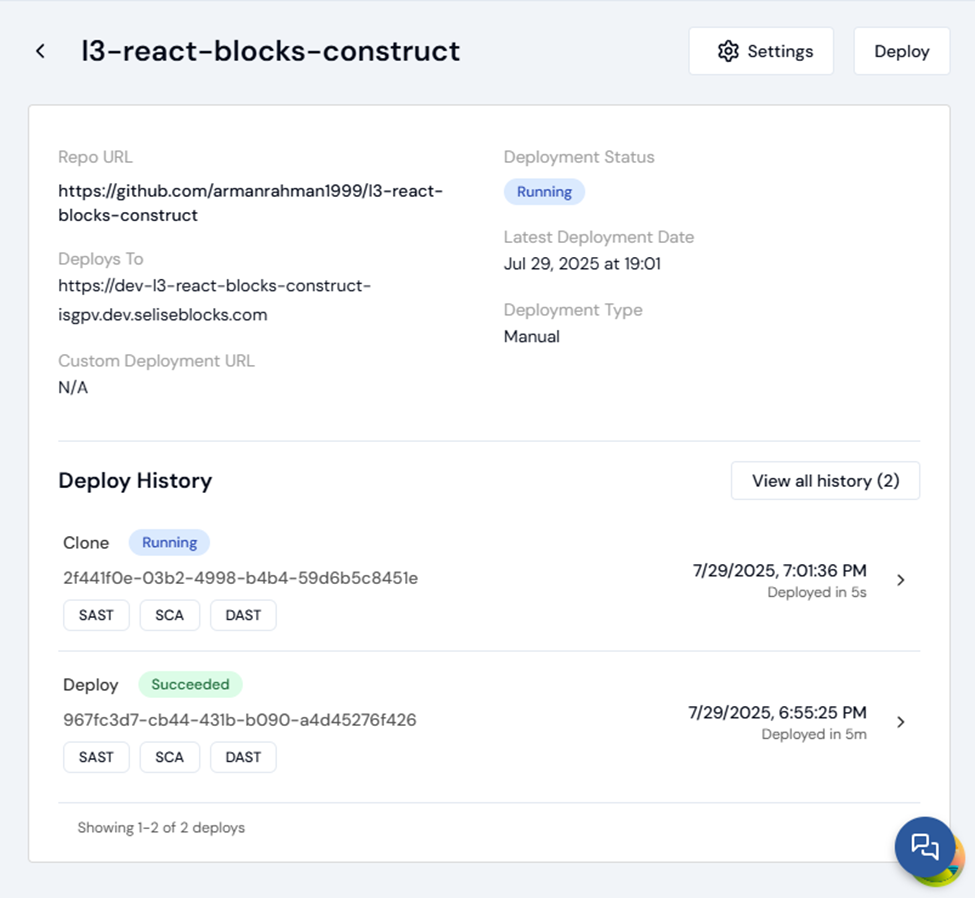
See Deployment History
The Deployment Information page has a Deployment History section that lists all previous builds. Each build entry includes detailed observability metrics such as SAST (SonarQube analysis), SCA (Software Composition Analysis), and DAST (Dynamic Application Security Testing), along with specific analytics related to that build.
View Deployment Logs
The logs will be shown live as the deployment process takes place. Users can expect the logs to appear section by section. The final status is "Deploy". Once completed, the project will be hosted atht he configured URL. Look in the "Deploys To" field in the deployment overview page to find the Deployment URL. The logs can always be revisited.
Deploy to a custom URL
- Set a custom domain from project overview page. (Clicking "Configure" button)
- In overview page's repo lists summary page click "Edit domain" and set a custom domain for repositories.
- After setting up custom domain save it and Deploy the repository from repository details page.
Observability
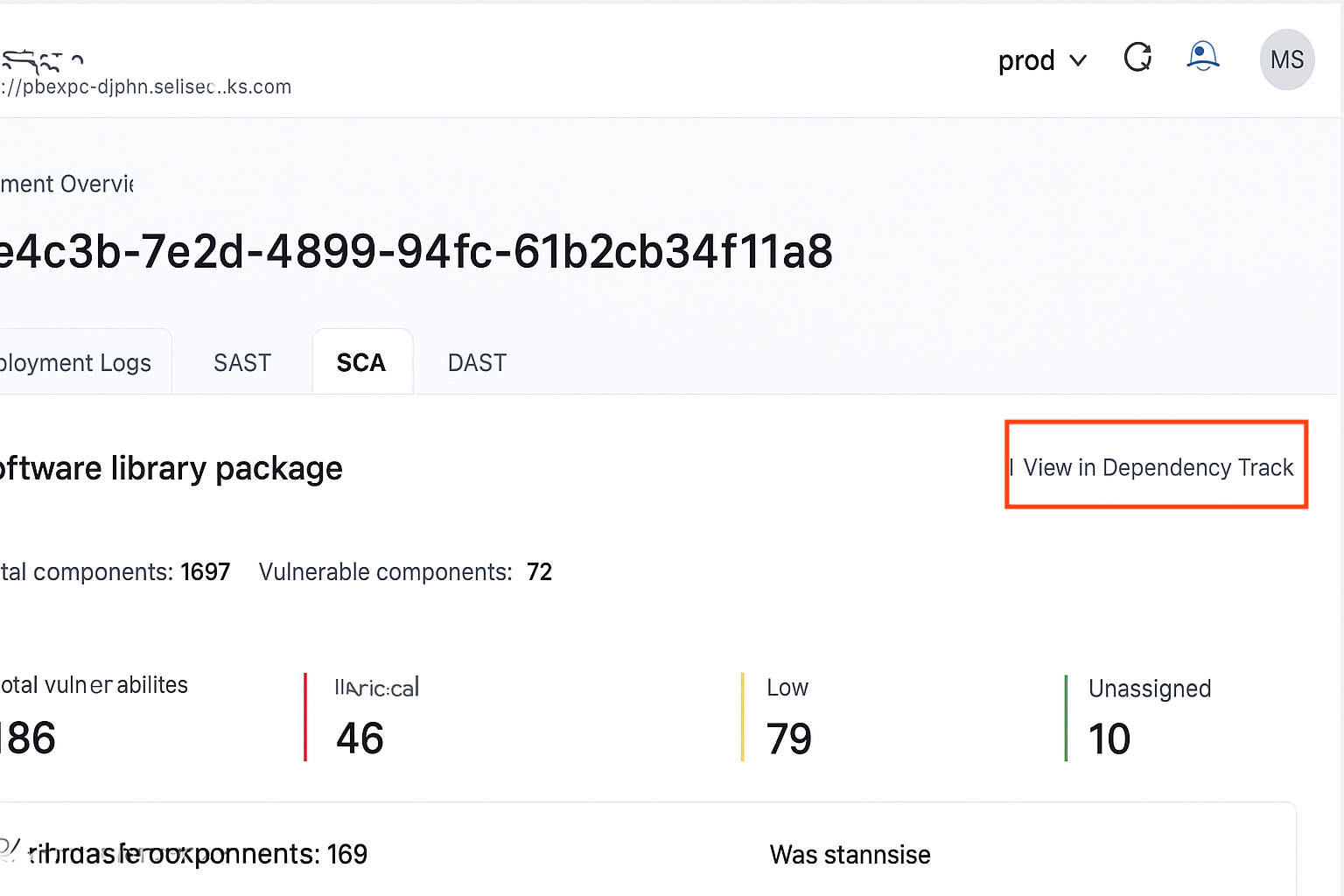
For each deployment, the SCA, SAST and DAST results are available for users to see. You can click on each of these to see further details of these results.
Users will be able to visit Dependency Track and observe the results directly by using their blocks account to loging to the Dependency Track Dashboard. Click on the button on the top right "View in Dependency Track" to navigate to the Dashboard for more details on the SCA scans.
DAST is currently under development.